Prom seating chart: how to assign tables fairly
Updated:
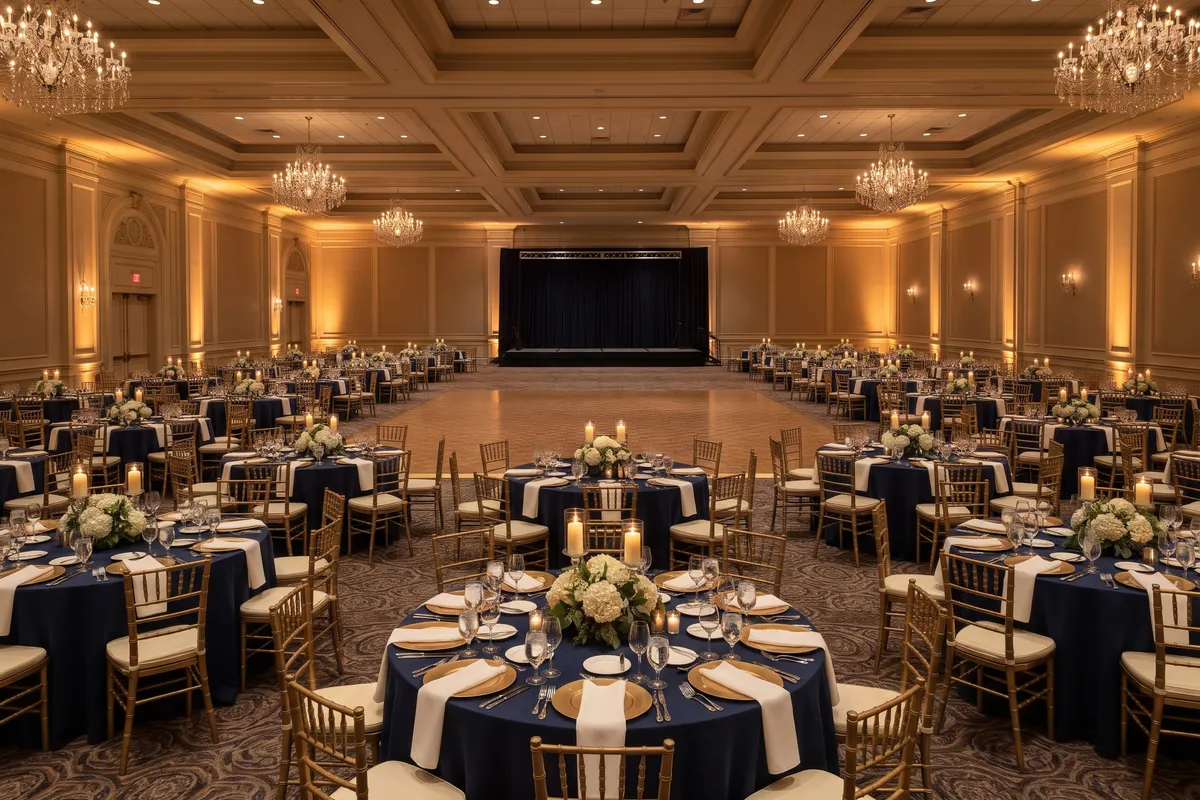
When families and teachers come to prom too, one rule works best: seat each graduate with their own family, and let families who are friends share a table. Set the number of tickets per student early, collect table requests in one place by a firm deadline, and then assign whole groups instead of individual seats.
A prom or graduation ball like this is a wedding times three: several hundred guests, lots of families with their own wishes, and a committee of students and parent volunteers who have finals at the same time. A clear process saves arguments and nerves.
The process in five steps
- Set the ticket count: for example four tickets per graduate, extra tickets only from a waitlist.
- Pin down the ballroom and table size: a floor plan with measurements from the venue, plus table shape and seats per table.
- Collect requests: by a firm deadline, in a single spreadsheet.
- Assign groups: let the planner suggest a first version, then fine-tune by hand.
- On the night: seat finder, a chart at the entrance and printed lists for check-in and the committee.
The basic rule: families together
Don’t ask for individual seats; ask for groups: who wants to sit together, and how many tickets does each family need? That is what makes table planning possible in the first place.
- Match table size to the groups: tables of ten fit two families of five. Banquet tables are more flexible when group sizes vary a lot.
- Plan for teachers and chaperones: a table of their own near the stage, or seats spread across the class, whatever your school’s tradition is.
| Table (rule of thumb) | Comfortable seats | Fits, for example |
|---|---|---|
| 60 in round | 8 | two families of four |
| 72 in round | 10 | two families of five, or four plus six |
| 78 in round | 11 | a family of five and a family of six |
| banquet tables | flexible | friend groups with families of very different sizes |
The seat counts are common rules of thumb from our table spacing guide. Your venue will tell you which tables it has.
A worked example
A class of 90 graduates with four tickets each, plus 20 teachers and school guests, makes 380 people, or 38 tables of ten. For the dance floor, a common rule of thumb is that a third to half of the guests dance at once, at about 5 square feet per dancer. Here that’s roughly 650 to 950 sq ft. If your class loves to dance, plan for the upper end.
The table calculator does the rest, using the same rules of thumb for table count and floor area. Without the Event Pass you can plan up to 300 guests, with it up to 1,000, so for 380 guests you need the Event Pass.
Collect requests without chaos
Set a deadline and collect table requests in one place, not in twenty group chats. A shared spreadsheet with the columns Name, Group and Meal, and optionally RSVP, works well. Use the family as the group, such as “Weber family (Lena)”. Paste the spreadsheet straight into the planner; columns such as Group and Meal are recognized when you paste. More in importing a guest list from Excel.
Then enter which families want to sit together as a seating wish in the planner: one person from one family “sits at the same table as” one person from the other. A few rules keep it fair:
- Limit requests: for example, at most two other families per group. Long chains are hard to fit at tables of ten.
- Late requests: anything after the deadline gets considered if it still fits, but isn’t promised.
- Assign table locations separately: who sits near the stage shouldn’t depend on who replied fastest. Assign groups to tables first, then draw lots for where each table stands.
- Sensitive cases: if divorced parents shouldn’t share a table, use “does not sit at the same table as”. More in our guide to seating divorced parents.
Suggestion and fine-tuning
Suggest a seating plan spreads all guests across the tables. It bundles guests with a “together” wish, keeps groups together where it can and avoids “apart” as long as other tables have free seats. Wishes it can’t meet are reported. After that, the committee moves by hand whatever it wants differently.
Under View → Group colors, every seat shows the color of its group, so you can see at a glance whether a family was split across two tables. When late registrations come in, run the suggestion with Only seat guests without a table: only the new guests are placed, and everyone else stays put.
Ballroom, stage and dance floor
Ask the venue for a floor plan with measurements. The venue sets the maximum occupancy and the emergency exits. When you place the tables, keep these clear:
- Aisles between tables: about 5 to 6 ft from table edge to table edge, with main aisles about 4 to 5 ft clear, so servers and guests can get through. In Settings you choose the gap below which the planner shows a note. That note is a planning aid, not a safety check.
- Sightlines to the stage: speeches and awards should be visible from every table. Stagger the back tables rather than lining them up in strict rows.
- A path to the dance floor that doesn’t run past every table.
Add the bar, buffet, stage or DJ and the entrance too. For the photo booth and coat check, use the Area element and label it, so nothing jams up there during the evening.
On the night
With around 400 guests, one chart at the entrance isn’t enough. The seat finder with QR code shows every guest their table on their phone, and the screen display runs on a TV in the lobby (both part of the Event Pass). Changes show up there within a minute, as long as the planner is open and online. An alphabetical poster is available with the Event Pass in sizes up to 18 × 24 in or A1. Your caterer gets the catering list with meals per table (also part of the Event Pass).
Still print the free guest list by table twice, one copy for check-in and one for the committee. With around 400 phones in the room, cell service and Wi-Fi can struggle.
FAQ
How many tickets per student are typical?
Every school decides for itself, usually based on the size of the venue. Divide the available seats, after teachers, chaperones and special guests, by the number of graduates.
What about students whose family can’t come?
Seat them with a friend’s family, not at a leftover table. A “together” wish with that friend makes sure the suggestion takes it into account.
Do teachers get their own table?
Both are common. A teachers’ table near the stage is easier to plan. If you spread teachers across the class, always seat at least two together.