Wedding seating chart display: placement, size and order
Updated:
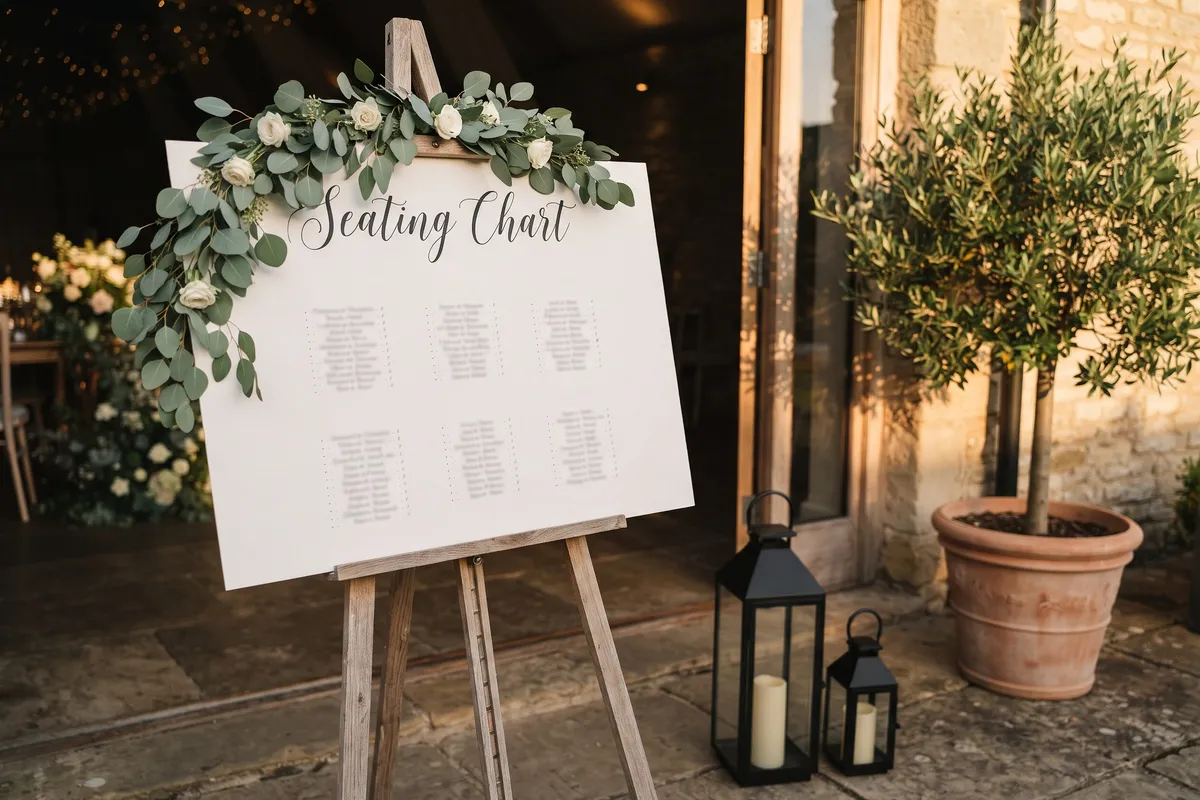
Put the seating chart just outside the reception room, not in the doorway, well lit and at eye level. With lots of guests, an alphabetical list is faster to read than one sorted by table. For up to about 80 guests an 18 × 24 inch poster is usually enough; for larger weddings, use a bigger size or split the list across two boards so nobody gets stuck in a crowd.
In short
- Spot: outside the room, with space for several people to stand in front.
- Height: on an easel or sign stand, names roughly at eye level.
- Light: bright enough, even in the evening.
- Order: by table for smaller parties, alphabetical for big crowds.
- Size: 18 × 24 in for up to about 80 guests, larger for big weddings. That’s a rule of thumb; what matters is the size of the names.
- Timing: print only once the last RSVPs are in.
The right spot
- Outside the room, not in the doorway: Place the chart so several people can stand in front of it without blocking the way in. A good spot is wherever guests already gather, such as the cocktail hour.
- Good lighting: In the evening, room lighting often isn’t enough. A lamp or a bright spot helps.
- At eye level: An easel or a sign stand puts the names at a comfortable reading height.
- Two copies for big crowds: From about 100 guests, a second chart helps people spread out.
- Sturdy outdoors: In a garden or outside a tent, mount the chart on foam board and use a solid easel so wind doesn’t tip it over.
By table or alphabetical?
| Order | What it looks like | Good for |
|---|---|---|
| By table | Each table with its guests below | smaller parties; guests see who they’re sitting with |
| Alphabetical | Every guest with their table, sorted by name, with letters as headings | big crowds; nobody has to scan every table |
In the planner you switch the poster’s Order between By table and Alphabetical. The seating itself doesn’t change. Names are sorted as they appear in your guest list, so usually by first name. With fixed seats, the alphabetical chart shows the seat number too.
Size and readability
Guests usually read the chart from three to six feet away, often several at once.
| Size | Dimensions | Typical for |
|---|---|---|
| US Letter | 8.5 × 11 in | a small notice, a very small party |
| 18 × 24 in | 18 × 24 in | guest chart up to about 80 guests |
| A1 | 23.4 × 33.1 in | guest chart for large weddings; check that your print shop can print it |
The planner adjusts font size and columns automatically and warns you if the text gets very small for the size you picked. If the names don’t fit on one page, it spreads them over several pages. You can use that: two boards side by side, say A to K and L to Z, split the crowd on their own. A quick test before printing: print a section at actual size (100 %) on Letter paper, hold it against a wall and read it from six feet away. There’s more in the help article on choosing the right print size.
Printing and materials
- Send the PDF to the print shop: It stays sharp at any size. With the Event Pass there’s a print-shop version with 3 mm (1/8 in) bleed.
- Paper in a frame looks elegant but needs a frame in exactly that size; foam board is light, sits well on an easel and survives an evening outdoors.
- A test print for dark designs: Screens and paper show colors differently.
Extras that help
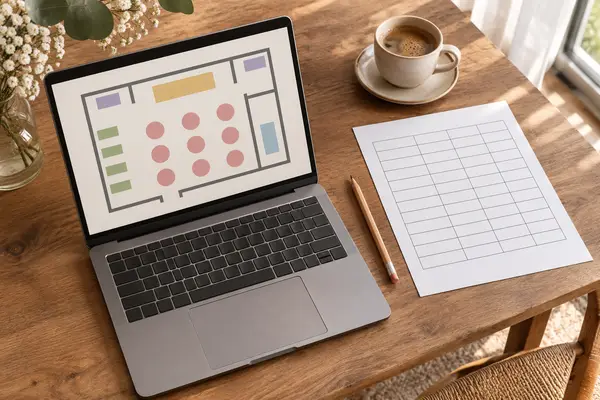
- Room map: A small sketch of the room with table numbers on the chart shows where each table is. In the planner the option is called Floor plan on the poster.
- Welcome sign: A sign in the same design greets guests and tells them they’re in the right place.
- Table cards: Every table shows its name or number, easy to see from a distance. Ideas in the guide to table names.
- Escort cards instead of a chart: Many US weddings set out escort cards on a table at the entrance, each with the guest’s name and table, and guests take theirs along. The planner’s place cards show name and table, so they work for this too. The guide to escort cards vs. place cards explains the difference.
- QR code for the seat finder: Guests scan it and see their table on their phone. You can print the code on the chart and welcome sign once you’ve set up the seat finder.
- Screen display: On a TV or tablet at the entrance, all names with their table run in large type. Changes show up there within a minute.
The designed chart (with or without a room map), welcome sign, table cards, place cards, seat finder and screen display are part of the Event Pass. Details on the seat finder are in the help article on the seat finder with QR code.
Right before printing
Print the chart only once the last RSVPs are in, because a printed chart doesn’t update itself. Read it through once: Is every name spelled right? Is anyone listed twice? The Checklist under Review & print shows who still has no seat; only guests with a seat appear on the chart. It also tells you if guests who declined still have a seat. Release those with Free up seats, or their names stay on the chart.
FAQ
What size should a wedding seating chart be?
As a rule of thumb, 18 × 24 inches for up to about 80 guests and larger, or two boards, for bigger weddings. What counts is that names are easy to read from three to six feet away.
Should a seating chart be alphabetical or by table?
By table for smaller groups, because guests see who they’re sitting with. Alphabetical for big crowds, because everyone finds their name faster.
What if something changes after printing?
You can neatly cover or hand-write a single name. With several changes, a new print is worth it. The seat finder with QR code and the screen display show the latest version as long as the planner is open and online: the seat finder a few seconds after the change, the screen display within a minute.